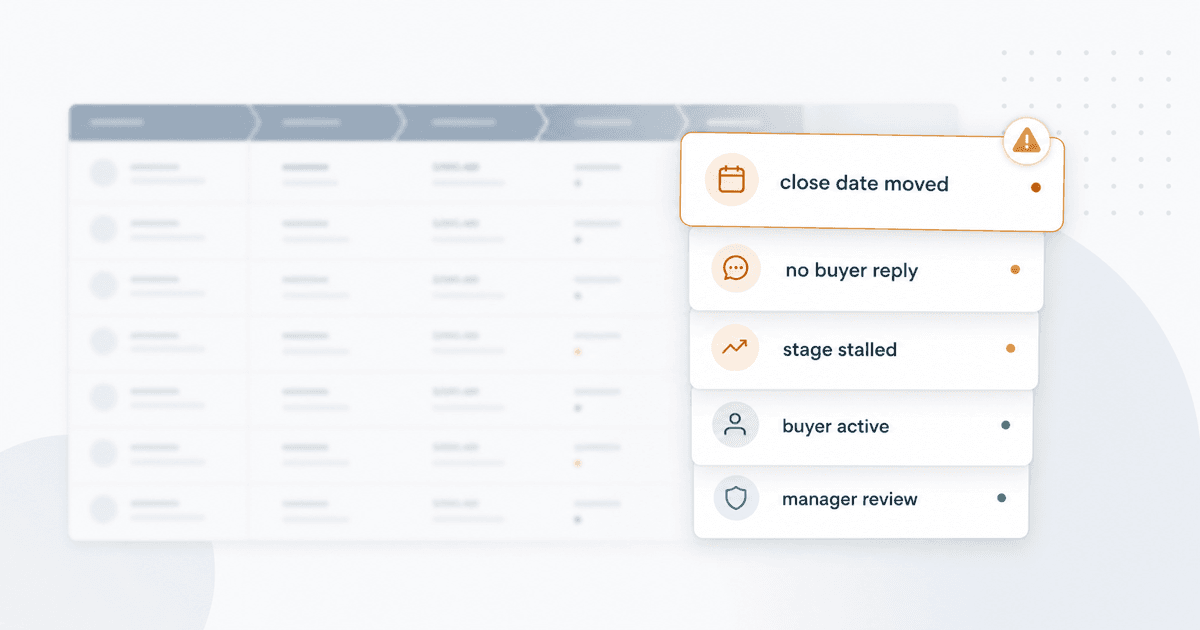
To stay on top of deals in HubSpot, start with saved deal views, the updated Sales Workspace, deal scores, forecast review, sales analytics, and a weekly manager review habit. Then use HubSpot workflows for simple events like close-date changes, no next activity, stage age, score drops, and manager-review flags.
That setup helps you identify at-risk deals in HubSpot. A risky deal usually has a mismatch between the forecast and buyer behavior: a commit deal with no next meeting, a pushed close date with no buyer-owned reason, a late-stage deal with seller follow-up but no buyer reply, or a score that fell after the last meaningful conversation.
The problem is what happens after HubSpot points at the record.
Someone still has to decide why the deal changed. Someone has to review the timeline, check the last call, compare seller activity against buyer movement, decide whether the stage is real, and tell the rep what to do next.
That is the manual tax. HubSpot can show a lot of useful signals. It has also shipped meaningful AI features in 2026, especially Smart Deal Progression after calls and meetings. But most sales leaders are not asking for another place to click. They want to start the day knowing which deals got worse, which got stronger, why it happened, and where their attention should go first.
Short version: HubSpot is strong at showing records, events, scores, reports, and post-meeting recommendations. The hard part is turning those signals into a ranked manager agenda.
The goal is an operating rhythm where risk shows up before forecast calls become debates.
What does staying on top of deals in HubSpot actually mean?
Staying on top of deals means knowing which open opportunities need attention before they slip, stall, or quietly rot in the forecast.
For a VP Sales, that means knowing whether commit deals are still defensible. For a Sales Manager, it means knowing which reps need help and which deals need pressure. For RevOps, it means catching risk without building a fragile reporting project. For a CRO, it means entering the forecast meeting with a point of view before the stories start.
The core questions are plain: what changed since the last review, which deals got weaker, which close dates are believable, which reps are busy without moving buyers, and which opportunities should leave commit.
HubSpot can answer pieces of this. The answers live across object views, Sales Workspace, Deal Insights, deal scores, forecast categories, sales analytics, workflows, meeting notes, transcripts, and manager judgment.
How do you identify at-risk deals in HubSpot?
Identify at-risk deals in HubSpot by looking for stale timing, weak buyer movement, low or falling deal scores, missing next steps, stalled stage movement, pushed close dates, and forecast categories that no longer match the record.
The practical test is simple: if the buyer's behavior no longer supports the forecast, the deal needs review.
Start with simple saved views. HubSpot object views can use filters, columns, sort order, and sharing settings, so a manager does not have to rebuild the same review every morning.
Useful views map to real questions:
| HubSpot view | What it catches |
|---|---|
| Closing this month | Deals that need timing pressure now |
| No next activity | Deals without a scheduled buyer step |
| Late-stage risk | Expensive deals with weak recent movement |
| Stale close date | Deals that already missed the date in HubSpot |
| Manager review | High-value deals that need inspection |
Keep this boring. Most teams do not need 30 saved views. They need a few views that become part of the weekly review habit.
The limit shows up quickly. Views show records. They do not explain them.
Two deals can both sit in Proposal Sent with a close date this month. One has three active stakeholders, legal in motion, and a meeting booked for Friday. The other has one contact, no reply in 18 days, and three seller follow-ups in the timeline.
The view tells you both deals exist. It does not tell you they are different.
What can HubSpot show you natively?
HubSpot can show records, filtered lists, activity, stage and close-date movement, scores, forecast categories, reports, workflow events, meeting notes, transcripts, and AI context.
Use that native base before adding anything else. The trap is assuming "decent weekly review" means "we know why deals are changing." Those are different jobs.
Where does Sales Workspace help, and where do the docs get tricky?
Sales Workspace is where HubSpot wants reps and managers to work the day, instead of only inspect records. HubSpot says the current updated Sales Workspace applies to all accounts starting April 27, 2026.
The updated workspace includes a Summary tab, Companies, Leads, and Deals tabs, filters, advanced filters, editable columns, tasks, schedule, an activity feed, and a Dashboard tab in beta. Reps can review schedules, work tasks, follow up after meetings, and view sales activity without bouncing between as many pages.
The tricky part is that some deal-monitoring details people still cite come from HubSpot's previous Sales Workspace deal-management documentation. That older article documents preset deal views such as Open Deals, Stalled Deals, Recent Activity, No Activity Scheduled, Stale Close Date, Closed Won, and Closed Lost. It also defines Stalled Deals as deals that have spent at least 20% longer in a stage than the average time in that stage for deals owned by the same owner.
That stalled-deal definition is useful. But the article itself now says it applies to the old version of Sales Workspace.
So the 2026 framing is simple: the updated Sales Workspace is the main place reps and managers work. Older deal-view or board behavior should be treated as previous-version or portal-dependent unless HubSpot documents it in the updated workspace article. HubSpot ships too fast to be casual here.
How useful is HubSpot Deal Insights?
HubSpot Deal Insights is useful when a manager opens one deal cold. It is not the morning pipeline view.
In the previous Sales Workspace deal-management documentation, HubSpot describes Deal Insights as an AI-generated overview that uses deal data and the past 100 interactions, including meetings, notes, emails, calls, and transcripts. The output is grouped into recent activity, risks, buyer goals, and company research.
That can shorten the "catch me up" part of deal review. A manager can open the record and start with recent activity, risk areas, buyer goals, and company context instead of reading the whole timeline from scratch.
Deal Insights follows CRM deal permissions, so two users may see different output. HubSpot also says Customer Analysis must be turned on in AI assistant settings. HIPAA-protected sensitive data must be off for the fuller AI-generated content. If sensitive data settings limit the feature, users may only see recent activities and deal risks based on CRM data. HubSpot also warns that better deal and associated-object data improves quality.
That is how a permission-aware CRM AI feature should work. It also means Deal Insights is mostly a per-record aid. It helps when you open the deal. It does not answer the manager's morning question by itself: "What changed across my open pipeline, and where should I start?"
Are HubSpot deal scores the same as deal health?
No. HubSpot deal scores estimate likelihood to close. Deal health explains condition, direction, and the reason a manager should care.
HubSpot's deal score is useful. It is an AI-powered probability score for open deals, based on deal properties and activity signals. Current HubSpot docs include deal amount, close date, create date, stage, activity, next scheduled activity, probability, owner changes, buyer engagement, next-step updates, and deal progression.
Use scores to ask better questions. Should a high-value deal with a low score still be in forecast? What changed with the buyer on a late-stage deal with a falling score? Is a strong score with no next step real momentum, or just a tidy record?
HubSpot is clear that deal scores are informational and should not be the only factor in business decisions. Timing matters too. New scores may take time to appear, existing scores update only when the new score is meaningfully different, slower signal processing can take longer, closed deals stop receiving scores, and reopened deals are not treated the same as new open deals.
A score can say, "look here first." It may not explain whether the buyer went quiet after pricing, legal is holding the agreement, the champion lost power, or the rep is confusing seller effort with buyer movement.
That is the gap between scoring and health.
What causes deals to slip in HubSpot?
Deals slip when the close date stops matching buyer behavior. The common causes are weak urgency, vague next steps, missing stakeholders, procurement drag, legal review, pricing silence, a champion losing influence, or a close date that was never tied to a buyer-owned event.
If you want the shortest answer, deals slip when the seller is still forecasting a date the buyer has stopped proving.
HubSpot can show many of the symptoms.
The forecast tool lets managers review by deal stage or forecast category, filter by pipeline and close date, inspect teams and users, and use forecast submissions in one-on-ones. It is where the deal conversation becomes a number leadership has to defend.
Sales analytics shows the broader trend. HubSpot's sales analytics suite includes deal change history, deal pipeline waterfall, deal push rate, deal funnel, deal velocity, forecast category, historical snapshots, weighted forecast, and time spent in deal stage.
That matters because individual deals can fool you. Team-level trends are harder to ignore.
If one rep pushes three close dates, maybe it is normal enterprise procurement. If the whole late-stage pipeline keeps pushing, you may have a stage-definition problem. If pipeline value grew on paper but the waterfall shows most of the movement came from pushed close dates, the forecast is weaker than it looks.
Reports tell you what happened.
They still may not tell you why it happened.
What does Smart Deal Progression actually do in 2026?
Smart Deal Progression is HubSpot's most relevant 2026 native AI feature for keeping deals moving after customer conversations. It helps when there is a transcript and the rep needs to turn the conversation into CRM updates and follow-up work.
The current Knowledge Base frames the hands-on workflow as beta recommended next steps for deals. The feature can analyze meeting and call transcripts plus related deal information to suggest CRM updates. For meetings, HubSpot can also draft follow-up emails and show high-value next steps.
After a meeting, a rep can review recommended action items, edit them, approve them, reject them, or create tasks. The rep can generate a follow-up email, edit it, and send it from HubSpot. For CRM update suggestions, the rep can review the transcript moment that prompted the recommendation before approving, editing, or rejecting the property value.
HubSpot also gives teams several places to review recommendations: automatic notifications after meetings and calls, a daily follow-up checklist, bulk review from the deal index page, a review prompt on the deal record, and transcript review from the activity timeline.
This attacks a real sales problem. Reps finish calls, then CRM updates lag behind reality. Close dates, next steps, stage, amount, and call outcomes can stay stale. Smart Deal Progression helps reduce that gap.
Keep the boundaries clear. HubSpot documents this as beta. Users need assigned Sales or Service seats. The workflow depends on Notetaker or a third-party transcript integration. Custom properties in smart data capture settings can consume HubSpot Credits. Calls are more limited than meetings: HubSpot's docs say calls are restricted to CRM update suggestions, while meetings can include action items and follow-up emails.
So the fair 2026 answer is not "HubSpot does not have AI for deals." It does.
The fair answer is also not "Smart Deal Progression watches the whole pipeline for you." It does not claim to do that. It is strongest after a customer conversation, when HubSpot has a transcript and related deal context.
Which Breeze features matter, and which ones do not monitor deals?
Breeze matters because HubSpot AI is no longer a text helper. HubSpot describes Breeze as assistants, agents, tools, knowledge vaults, reporting, and a dashboard. Breeze Agents can be installed from the Marketplace and customized in Breeze Studio.
Does HubSpot Breeze solve deal monitoring? Not by itself. It makes native HubSpot work better, but the deal-monitoring question still depends on which Breeze feature you mean.
Smart Deal Progression helps after calls and meetings. Breeze Assistant and reporting can help answer questions and create reports, but should not be treated as a saved pipeline-monitoring system unless HubSpot documents that exact behavior.
The adjacent agents have different jobs. Prospecting Agent finds and engages prospects. Closing Agent answers buyer questions on quotes. Data Agent handles data operations and smart properties. Customer Health Agent is about account health, not HubSpot deal health. MCP and connectors support natural-language CRM access in supported external AI clients, with permission and sensitive-data limits.
Where do HubSpot workflows stop understanding the deal?
HubSpot workflows are useful when the trigger is clear. They stop helping when the problem requires judgment across CRM fields, timelines, transcripts, and buyer behavior.
The common RevOps setup is familiar: create a custom Deal Health or At Risk property, add supporting fields such as Risk Reason or Manager Review Needed, build workflows around close-date movement or score drops, notify the owner or manager, and add the fields to views and reports.
HubSpot supports this kind of work. Event enrollment triggers include Property value changed for CRM records. Workflows can also use meetings, quotes, integrations, filters, re-enrollment, and other workflow logic.
But the event trigger is not the same as understanding the deal.
There are limits to respect. Event triggers apply after the workflow is turned on. A Property value changed event represents one property changing from one value to another. Event triggers are not a time machine for historical records, and they do not understand the reason behind the change unless the data already says so.
This is useful plumbing. A close date moves out of month, so the workflow sets Manager Review Needed. A deal score drops, so the owner and manager get notified. A late-stage deal has no next activity, so the rep gets a task.
It also becomes a small internal software project. RevOps owns the rules. Managers debate false positives. Stage changes break assumptions. Legal delays get treated like risk in one pipeline and normal process in another.
The workflow catches the event. It does not always understand the deal.
Where does the manual tax show up?
The manual tax shows up when managers use HubSpot correctly and still have to stitch the story together by hand.
The first tax is maintenance.
Rules age. Pipelines change. Sales motions split by segment. A "no activity in 14 days" rule might be useful for SMB new business and wrong for enterprise procurement. A close-date push might be a red flag in one motion and normal in another.
The second tax is context.
HubSpot fields can show that a close date moved. They do not automatically explain that the buyer raised procurement risk in the last call, the champion left, or the rep is sending follow-ups into silence.
The third tax is direction.
Point-in-time views are easy. Direction is harder.
Two deals can both be Medium health today. One was Very Low last week and is improving after a strong executive meeting. The other was High last week and dropped after pricing went cold. Treating those deals the same is a mistake.
The fourth tax is portfolio priority.
Most managers do not want to live inside HubSpot all morning. They want to know the five deals that changed in a meaningful way, the reason behind the movement, and where to spend their time.
That is why the pain is not "HubSpot has no tools." HubSpot has many tools.
The pain is that the manager still has to assemble the story.
What operating model do managers actually want?
Managers want the day to start with the answer, not the hunt.
A useful daily deal-monitoring system tells a sales leader which open deals got healthier, which got weaker, which close dates moved, which forecast calls need pressure, which reps need manager help, and which conversations changed the deal story.
The weekly version adds pipeline movement, wins and losses, win-loss reasons, repeated customer-conversation themes, and the team activity that mattered.
That is different from a dashboard.
A dashboard waits for you to ask the question. A brief answers the question before you open the app.
This is the operating change behind Briefs and Alerts. The useful outcome is not a prettier report. It is fewer mornings spent hunting for the story.
One customer described the value plainly: the daily notification helped them find out that a deal had effectively been lost before it was moved to closed lost. That is the point. The CRM record may not be cleaned up yet, but the operating signal is already there.
Where does Data Parrot fit for HubSpot teams?
Data Parrot fits when the work stops being reporting and becomes monitoring. HubSpot remains the CRM. Data Parrot watches the CRM changes, deal movement, engagement history, and customer conversations, then turns that into a ranked operating brief.
It does not replace HubSpot. It uses HubSpot as the CRM source and adds the layer most teams try to build manually.
HubSpot can show records, activities, scores, reports, forecast categories, workflow events, and post-meeting recommendations. Data Parrot focuses on the next question: what changed across the book, why does it matter, and what should the manager do first?
Data Parrot uses CRM activity, emails, calls, meetings, property changes, notes, and transcripts where available. It produces objective deal-health analysis, explains the reason behind the score, tracks whether the deal is improving or declining, and highlights the deals that need attention.
The important detail is trend direction.
An open deal can show a current health value and the prior snapshot. If a deal moved from Medium to High, that is different from a deal that moved from Very High to Medium. Data Parrot's brief logic treats Deal Health trend as the authoritative signal for whether a deal is improving or declining, because one timeline event can mislead you on its own.
That helps managers avoid two common mistakes:
- panicking over a negative-looking event when the whole deal is improving,
- missing a weakening deal because the latest activity looks busy.
The daily and weekly briefs turn that analysis into an operating rhythm. Daily updates focus on important deal changes and activity shifts. Weekly updates add pipeline movement, wins, losses, team activity, and themes from customer conversations.
This is where deal health becomes more useful than a score in a table. The manager gets the score, the reason, the direction, and the next place to look.
How do Data Parrot outputs work inside HubSpot?
Data Parrot outputs are useful for HubSpot teams because they are not trapped in a separate report.
Data Parrot can push AI analysis into HubSpot custom properties, so teams can use the outputs in deal views, reports, workflows, lists, the left sidebar, and the timeline.
Common fields include:
| HubSpot field | What it helps answer |
|---|---|
| Data Parrot Deal Health Status | Does the deal look strong or risky? |
| Data Parrot Deal Health Details | Why did the AI give that verdict? |
| Data Parrot Next Steps | What should the rep or manager do next? |
| Data Parrot Deal Progress Status | Is the deal active, stuck, dormant, dead, inactive, or no activity? |
| Data Parrot Customer Intent Status | Does the buyer appear serious? |
| Data Parrot Forecast Category | How should the revenue be counted? |
| Data Parrot Close Date Confidence | Is the close date believable? |
| Data Parrot Deal Stage Confidence | Is the deal in the right stage? |
That means RevOps can still use HubSpot views and workflows, but the inputs carry more judgment.
Instead of building a brittle rule like "last activity date is older than 14 days," you can create a view for deals where Deal Health Status is Low, Close Date Confidence is Low, or Deal Progress Status is Stuck.
Instead of asking every manager to review every timeline, you can send them to the deals where the analysis already says something changed.
And if your team wants those fields inside the CRM record, Custom AI Properties in HubSpot is the practical path.
How should a HubSpot team roll this out?
Do not start by designing a giant scoring model. Start with the review behavior.
In week one, clean the review setup: saved views for closing-this-month, no next activity, stale close date, late-stage risk, and manager review.
In week two, use the updated Sales Workspace, Deal Insights where available, deal scores, forecast categories, Smart Deal Progression recommendations, and sales analytics during manager meetings.
In week three, add the lightest workflow layer for close-date movement, low deal score, stale next step, or manager-review flags.
If managers still spend the morning stitching together views, timelines, call notes, score changes, Smart Deal Progression recommendations, and forecast movement, add automated deal-health analysis and daily or weekly briefings.
The test is not whether the system looks advanced. The test is whether managers know where to focus before the meeting starts.
Common mistakes
The first mistake is treating seller activity as buyer movement. A rep sending three follow-up emails is activity. A buyer replying with a date, a stakeholder, or a procurement step is movement.
The second is trusting close dates without buyer evidence. A close date is a claim until the buyer does something that supports it.
The third is treating all Breeze agents as deal monitors. Smart Deal Progression is relevant to deal movement after conversations. Prospecting Agent, Closing Agent, Data Agent, and Customer Health Agent each have different jobs.
The fourth is building workflows before defining manager behavior. If managers do not agree on what "at risk" means, a workflow will only scale the confusion.
The fifth is expecting a dashboard to create urgency. Dashboards wait for someone to check them. If managers find out too late, the answer may be notifications and briefs, not another report.
FAQ
How do I stay on top of deals in HubSpot?
Stay on top of deals in HubSpot by combining saved deal views, the updated Sales Workspace, Deal Insights where available, deal scores, forecast review, sales analytics, Smart Deal Progression after meetings and calls, simple workflows, and a weekly manager review rhythm. Add automated deal-health analysis if managers still need to review timelines to understand why a deal is risky.
How do I identify at-risk deals in HubSpot?
Use saved views and Sales Workspace to find deals with stale close dates, no next scheduled activity, long stage age, low or falling deal score, weak recent buyer activity, and pushed forecast timing. Then inspect buyer movement, not only seller activity. A deal is usually at risk when the forecast says one thing and the buyer behavior says another.
What causes deals to slip?
Deals usually slip when buyer urgency fades, the next step is vague, the champion loses power, procurement or legal takes longer than expected, pricing creates silence, or the close date was never tied to a buyer-owned event. HubSpot can show many symptoms. The harder work is connecting the symptoms to the reason.
What is Smart Deal Progression in HubSpot?
Smart Deal Progression is HubSpot's beta post-conversation workflow for recommended next steps on deals. It can analyze meeting and call transcripts plus related deal information, suggest CRM updates, and, for meetings, draft follow-up emails and show action items. It helps reps update HubSpot after conversations, but it should not be described as continuous whole-pipeline monitoring.
What is the difference between HubSpot deal scores and deal health?
HubSpot deal scores estimate likelihood to close. Deal health explains the condition of the deal: whether buyer engagement is improving or fading, whether the stage and close date are believable, what changed, and what the rep or manager should do next.
Does HubSpot Breeze solve deal monitoring?
HubSpot Breeze makes native deal work much stronger, especially through Deal Insights and Smart Deal Progression after meetings and calls. It helps with CRM updates, follow-up drafts, action items, record context, and AI-assisted reporting. It does not remove the need for portfolio-level prioritization, health trends across snapshots, or daily and weekly summaries of what changed across the pipeline.
When should a HubSpot team add Data Parrot?
Add Data Parrot when HubSpot views, Sales Workspace, deal scores, reports, Smart Deal Progression, and workflows show you where to look, but managers still spend too much time figuring out why deals changed and what to do next. Data Parrot is most useful when the team wants objective deal health, trend direction, daily or weekly briefs, and AI fields available inside HubSpot.
Sources
- HubSpot Knowledge Base: Create and manage saved views
- HubSpot Knowledge Base: Manage sales activities in the updated sales workspace
- HubSpot Knowledge Base: Manage deals in the sales workspace
- HubSpot Knowledge Base: Predict likelihood to close with deal scores
- HubSpot Knowledge Base: Use the forecast tool
- HubSpot Knowledge Base: Create sales reports in the sales analytics suite
- HubSpot Knowledge Base: Create reports with the custom report builder
- HubSpot Knowledge Base: Set event enrollment triggers
- HubSpot Knowledge Base: Review recommended next steps for deals
- HubSpot Knowledge Base: Record and take notes in meetings with Notetaker
- HubSpot Knowledge Base: Understand Breeze
- HubSpot Knowledge Base: Use assistants and agents in Breeze Studio
- HubSpot Knowledge Base: Set up and use the closing agent
- HubSpot: Spring 2026 Spotlight
- HubSpot Community: Release Notes: April Product Updates