Teams use deal scoring in HubSpot to improve prioritization, pipeline inspection, and forecast quality.
There is no single right way to do it.
Some teams use stage probability and stop there. Some create a manual score with custom properties or workflows. Some use HubSpot's native rule-based deal scoring tool. Some use HubSpot's predictive deal score. Some eventually add an external deal-health layer.
This guide walks through all five approaches.
It is designed to help HubSpot teams answer four practical questions:
- What are my options for deal scoring in HubSpot?
- Which method should I use first?
- How do I build it inside HubSpot?
- When does it make sense to move to a more advanced model?
One quick distinction helps upfront:
- lead scoring ranks leads or contacts before an opportunity is real,
- deal scoring evaluates open opportunities,
- forecast category is a forecast judgment, not a health model.
In practice, HubSpot gives teams three native ways to judge deals: stage probability, rule-based deal scoring, and predictive deal score. Everything else is either a custom build or an external deal-health layer.
If you are trying to improve forecast quality, pipeline inspection, or deal prioritization in HubSpot, this is the progression to understand.
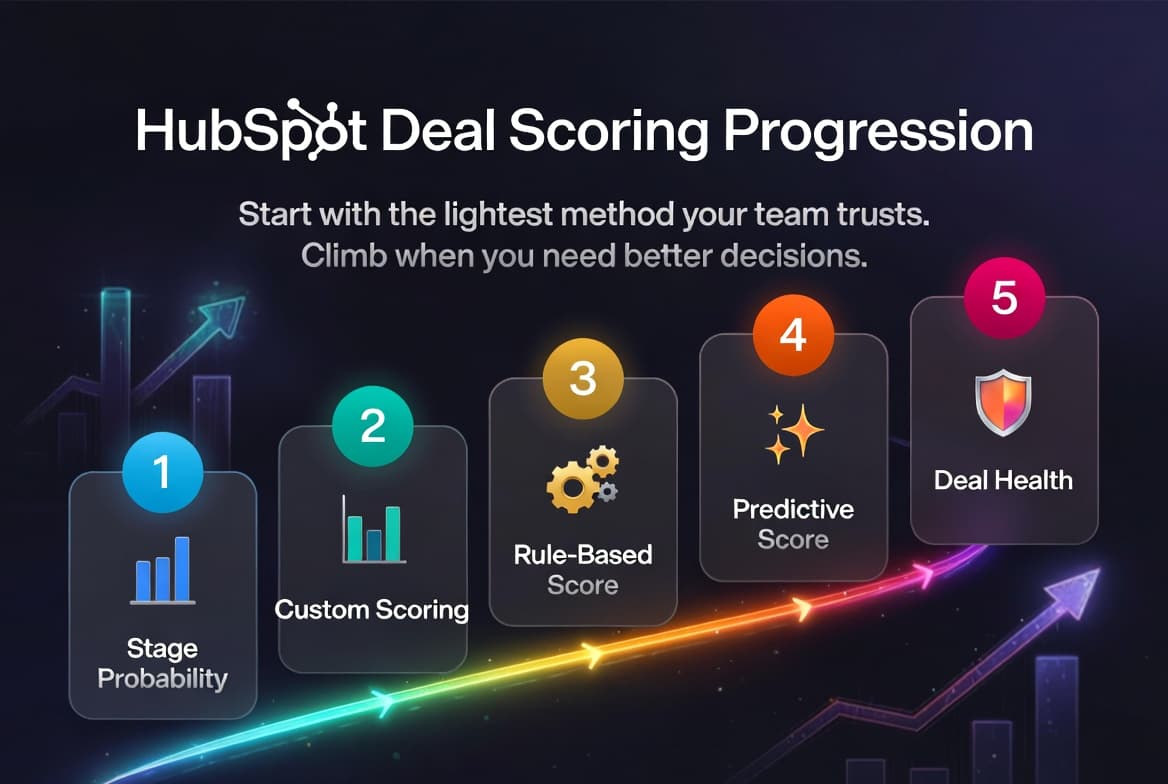
The five deal scoring methods in HubSpot
There are five practical methods to understand:
- Stage probability
- Manual or custom-property scoring
- Native HubSpot rule-based deal scoring
- HubSpot's predictive deal score
- External evidence-based deal health
Most teams should not start at level five.
The right method is usually the lightest one your team can trust, maintain, and actually use in manager reviews.
What deal scoring is actually for
Deal scoring is supposed to help a team make better decisions faster.
In practice, a useful score should help answer questions like:
- Which deals deserve attention right now?
- Which deals are stronger or weaker than they look on paper?
- Which deals should count toward the forecast?
- Which deals need manager inspection before they slip?
A score does not need to be perfect to be useful.
It does need to improve decision quality beyond stage, amount, and rep narrative.
Before you build any deal score
Before building any scoring model in HubSpot, decide what job the score is supposed to do.
Most teams get into trouble when they try to make one score do everything at once.
A score might be intended for:
- prioritization: which deals reps and managers focus on first,
- forecast weighting: how much confidence to place in projected revenue,
- inspection: which deals need review because something feels off,
- coaching: where a manager should intervene and why.
Those are related, but they are not identical.
Also make sure the basics are in place first:
- deal stages have clear definitions,
- close dates mean something,
- ownership is current,
- activity logging is consistent enough to trust,
- and the team is not relying on empty placeholder fields.
If those basics are weak, the score will usually mirror the mess.
How to choose the right method for your team
A simple way to choose:
- Use stage probability if you mainly need weighted pipeline.
- Use manual or custom-property scoring if you want a lightweight score and are comfortable maintaining a few fields or workflows yourself.
- Use native HubSpot rule-based deal scoring if you want HubSpot to manage score logic directly with property and event criteria.
- Use predictive score if you have enough clean data and want a native AI-driven ranking layer.
- Use external deal health if leaders need reasoning, not just ranking.
Another way to think about it:
| Situation | Best starting point |
|---|---|
| Small team, simple pipeline, low process maturity | Stage probability |
| Team wants a lightweight prioritization signal with custom control | Manual or custom-property scoring |
| Team wants a native configurable score in HubSpot | Native HubSpot rule-based deal scoring |
| Team wants native AI-assisted prioritization | Predictive deal score |
| Forecast calls depend on explanation and evidence | External deal health |
Level 1: Stage probability
This is the baseline method most HubSpot teams start with.
Each deal stage in HubSpot has a probability attached to it. A team might define:
- Discovery = 10%
- Demo = 25%
- Proposal Sent = 70%
- Verbal Commit = 90%
This gives the team a simple weighted pipeline model.
What stage probability is good for
Stage probability is good for:
- basic weighted forecasting,
- simple reporting,
- early process discipline,
- and teams that are still organizing their pipeline.
How to set it up in HubSpot
- Review your deal pipeline stages.
- Assign a probability to each stage.
- Make sure the team agrees on what each stage means.
- Use stage probability in views, reports, and weighted pipeline reporting.
This is already native to HubSpot. No extra property architecture is needed.
Where stage probability starts to break
Stage probability assumes deals in the same stage are broadly similar.
That is often not true.
Two deals can both sit in Proposal Sent at 70%. One may have three active stakeholders, legal in motion, and a meeting booked for Friday. The other may have one contact, no reply in 18 days, and a close date that has already moved twice.
Stage probability treats those deals the same.
When to move on
Move past stage probability when managers keep asking:
- why two same-stage deals feel obviously different,
- why late-stage deals still slip,
- or why the weighted pipeline looks fine while forecast confidence feels weak.
Level 2: Manual or custom-property scoring
The next step is usually a score the team builds itself from a few signals it trusts.
Examples:
- confirmed next step,
- close date inside the quarter,
- recent customer activity,
- identified champion,
- or a key qualification field.
This is often the first scoring model that changes rep behavior.
What it is good for
Manual or custom-property scoring is good for:
- introducing deal-level prioritization,
- reinforcing process discipline,
- highlighting obvious momentum or risk,
- and giving managers one more lens beyond stage.
How to build it in HubSpot
There are a few practical ways to do this:
Option A: manual score property
Create a custom deal property such as deal_score_manual or deal_priority_score and update it through rules or manager judgment.
This is simple, but it depends heavily on process discipline.
Option B: custom score components plus total score
Create a few supporting properties, for example:
- next step present,
- recent buyer activity,
- champion identified,
- close date confidence.
Then either:
- total them in a calculated property,
- roll up associated-record values where that helps,
- or use workflows to update a score field when those conditions change.
Option C: small custom weighted model
Some teams keep building from there with calculated properties, rollup properties, and workflows until they have a weighted custom score.
That can work well when you want full control. It also creates more upkeep.
At the time of writing, HubSpot documents rollup properties that can count, sum, average, min, or max associated-record values, and calculation properties that can handle equations and time-based logic. Those are useful building blocks, but they are not infinitely flexible. For example, custom equations work on number properties on the same object, and time-since or time-until properties are not universal inputs everywhere.
Example of a manual or custom-property score
| Signal | Score impact |
|---|---|
| Next step exists | +20 |
| Close date is this quarter | +15 |
| Last customer activity within 7 days | +20 |
| Champion identified | +20 |
| No activity in 14+ days | -25 |
| Close date moved twice | -15 |
What to watch out for
This is also where teams start to see gaming risk.
Common failure modes:
- next-step fields that technically count but say nothing useful,
- champion fields marked yes based on rep optimism,
- recent activity inflated by seller-side outreach,
- or a score that rewards CRM hygiene more than customer movement.
Custom builds can also turn into the equivalent of a spreadsheet hidden inside HubSpot if too many properties and workflows pile up.
When to move on
Move on when:
- the score is technically correct but not very predictive,
- maintaining the logic becomes a project of its own,
- or you want HubSpot to manage more of the scoring framework directly.
That transition matters. Level 2 is a score you design and maintain yourself. Level 3 is HubSpot's native rule-based deal scoring tool.
Level 3: Native HubSpot rule-based deal scoring
HubSpot now supports native rule-based deal scores inside its lead scoring tool.
For deals, these scores are native HubSpot scores, not custom property math disguised as a score.
What it is good for
Native HubSpot rule-based deal scoring is good for:
- teams that want a configurable score without building all the logic from scratch,
- teams that want to combine property criteria and event criteria,
- and organizations that want a more maintainable native scoring layer before jumping to predictive scoring.
How to build it in HubSpot
At the time of writing:
- deal scores are built in Marketing > Lead Scoring,
- deals are supported in Sales Hub,
- and deal scores are combined scores by default, which means they can use both property rules and event rules.
If you want the exact setup flow, HubSpot documents it in Build lead scores to qualify contacts, companies, and deals.
A practical setup looks like this:
1. Create a deal score in the lead scoring tool
Choose Deals as the object, then choose Deal score.
2. Add property groups and event groups
For deal scores, HubSpot lets you score based on:
- property values,
- event activity,
- positive points,
- negative points,
- group limits,
- and minimum or maximum total score ranges.
3. Configure association settings where needed
For company and deal scores, engagement events are based on associated contact activity. That matters if you want the score to reflect buyer-side engagement rather than just deal-field changes.
4. Use the resulting score property in views, workflows, and reports
Once turned on, the score can be used like other HubSpot score properties across filtering, reporting, and workflow logic.
What to watch out for
The native tool is cleaner than a fully custom property stack, but it still depends on:
- subscription and feature availability,
- the types and number of scores your subscription supports,
- the criteria HubSpot supports in the tool,
- clean associated-contact data,
- and thoughtful score design.
It is also important not to confuse rule-based deal scoring with predictive deal score. They are separate features.
When to move on
Move on when:
- you want AI-driven ranking based on broader pattern recognition,
- you no longer want to hand-tune criteria and weights,
- or leaders need more explanation than a rule-based score can provide.
Level 4: HubSpot's predictive deal score
HubSpot also offers a predictive deal score.
At the time of writing, HubSpot documents predictive deal-score signals across four main buckets:
- deal properties: deal amount, close date, create date, deal stage,
- rep activity: overdue tasks, scheduled meetings, owner assignment date, outbound call activity,
- buyer engagement: email opens, clicks, replies, inbound call activity,
- deal progression: time since next step updated, deal stalling without engagement.
What it is good for
This method is good for:
- teams that want a native option,
- teams with enough data quality to support prediction,
- and organizations that want broader signal coverage without hand-maintaining every rule.
How to use it in HubSpot
Predictive deal score is a separate feature from HubSpot's rule-based deal score. It is available in Sales Hub Professional and Enterprise.
At a minimum:
- confirm your HubSpot plan and feature availability,
- add the predictive deal score to deal views or record sidebars,
- review it alongside stage, close date, owner, and recent activity,
- use it as an inspection aid, not a replacement for manager judgment.
A practical recommendation is to compare it with your existing scoring approach before replacing anything.
What to watch out for
The main question is not whether the score exists. It is whether it changes how a manager runs a pipeline review.
If activity data is noisy, predictive scoring may simply scale that noise more elegantly.
A deal can look active because the seller is busy while the buyer has effectively gone quiet.
That is one reason predictive score and deal health are not the same thing.
Important caveats
At the time of writing, HubSpot also documents that:
- predictive score is informational, not the only decision factor,
- new deals usually receive an initial score in about 36 hours, though it can take up to 48 hours,
- existing deals can refresh within up to 6 hours when the score changes materially, typically by about 3% or more,
- slower trigger updates can take up to 48 hours,
- closed deals stop updating,
- reopened deals do not receive a new score, so HubSpot recommends creating a new deal instead.
When to move on
Move on when leaders need more than ranking. In particular, when they need to understand why a deal is weakening, whether the current stage is believable, and what changed since the last review.
Let Data Parrot do HubSpot deal scoring for you.
Connect HubSpot. No setup needed - the AI onboards itself.
Deal Health shows up in HubSpot automatically.
Level 5: An evidence-based deal health model
This is the most mature version of deal scoring.
At this level, the team is no longer asking only, "what score does this deal have?" It is asking, "what does the evidence say is happening in this deal right now?"
What deal health does differently
A deal health model should not stop at a number.
It should help answer questions like:
- is buyer engagement increasing or fading?
- is the current stage believable?
- is the close date still realistic?
- is the deal moving on the customer side, or only on the seller side?
- what changed since the last review?
What native HubSpot usually does not fully solve here
This is the point where some teams discover that even a better score is still not enough.
The missing layer is often:
- explanation,
- evidence,
- and manager-ready next actions.
That is where external deal health layers start to make sense.
A practical example
A score-only review says:
- "This deal dropped from 74 to 61."
A deal-health review says:
- "The buyer stopped replying after pricing."
- "The close date still sits in-quarter."
- "Only seller-side activity is increasing."
- "The stage looks overstated relative to recent engagement."
One gives the manager a number. The other gives the manager something to coach.
Where Data Parrot fits
Let Data Parrot handle deal health in HubSpot. Connect HubSpot, it onboards itself, and Deal Health lands on your deals automatically.
Comparison table
| Method | Best for | Use when | Main weakness |
|---|---|---|---|
| Stage probability | Small teams, simple process | You need basic weighted pipeline fast | Too blunt |
| Manual or custom-property scoring | Early process discipline and custom control | You trust a few manual signals and do not mind maintaining logic | Easy to game or overbuild |
| Native HubSpot rule-based deal scoring | Teams that want a configurable native score | You want HubSpot to manage property and event scoring logic | Constrained by subscription and tool design |
| HubSpot predictive deal score | Teams with cleaner activity data | You want a native AI model based on broader signals | Limited explanation |
| External evidence-based deal health | Mature forecast inspection | Leaders need score, reasoning, and actionability | More advanced operating model |
The 5 signals that often matter more than the score in a forecast call
No matter which scoring method you use, managers usually end up looking for a few recurring signals:
- Buyer movement: is the customer actually advancing, or is only the seller active?
- Stakeholder coverage: are the right people involved, or is the deal riding on one contact?
- Stage believability: does the stage reflect what has actually happened?
- Close-date realism: has anything occurred that supports the current date?
- What changed this week: is the deal getting healthier, weaker, or just noisier?
That is worth stating directly because many scoring projects overweight seller motion and underweight customer-side evidence.
How to operationalize the score
A score becomes useful when managers use it the same way every week.
A simple operating pattern:
- reps use the score to prioritize which deals need attention,
- managers use the score to pick deals for inspection,
- forecast owners use the score as one input, not the only input,
- RevOps reviews whether the score still correlates with outcomes.
A score should live in:
- deal views,
- manager review views,
- reports,
- forecast preparation workflows,
- and any pipeline inspection rhythm the team already runs.
How to test whether your score is real
This does not need to be fancy:
- define score bands clearly,
- measure win rate by band over the last two to four quarters,
- check whether score quality still holds 30 days before close,
- review false positives and false negatives every month,
- separate results by segment if motions differ,
- only change weights after repeated pattern evidence, not one loud anecdote.
A useful gut-check is simple: if your "healthy" deals are not materially outperforming your weak deals, the model needs work.
A simple 30-day rollout plan
If you are building or rebuilding a deal score in HubSpot, a practical 30-day plan looks like this:
Week 1: define the job
Decide whether the score is for prioritization, forecast weighting, inspection, coaching, or some combination.
Week 2: build the lightest useful model
Start with stage probability plus one or two trusted signals, a small weighted custom model, or HubSpot's native rule-based deal score if you want HubSpot to manage the scoring framework directly.
Week 3: embed it into manager workflow
Add it to deal views, manager filters, and review cadences. Make sure people are actually looking at it.
Week 4: validate and adjust
Review whether the score is surfacing the right deals, whether managers trust it, and whether early result patterns justify refinement.
Common mistakes teams make
1. Confusing forecast category with deal health
A deal can belong in commit and still be unhealthy.
2. Overweighting CRM hygiene
A neat record is not the same as a healthy deal.
3. Measuring seller activity instead of buyer momentum
This is one of the most common failure modes in HubSpot scoring projects.
4. Building a model no manager can explain
If a manager cannot explain why the score moved, the model loses trust fast.
5. Expecting one model to fit every segment
SMB, enterprise, founder-led, and multi-threaded deals do not move the same way.
6. Ignoring manager overrides
If managers and reps ignore the score whenever it conflicts with the deal story, the model is not really in use.
FAQ
What is deal scoring in HubSpot?
Deal scoring in HubSpot is the process of ranking or evaluating deals based on their likelihood of closing or their overall health. At the simplest level, teams use stage probability. More advanced teams use manual or custom-property scores, HubSpot's native rule-based deal score, predictive scoring, or an external deal-health layer.
Does HubSpot have a native rule-based deal scoring tool?
Yes. HubSpot's lead scoring tool supports deal scores for deals in Sales Hub. At the time of writing, deal scores are combined scores by default, so they can include both property criteria and event criteria.
Does HubSpot have predictive deal scoring?
Yes. HubSpot also has a separate predictive deal score that uses native signals across deal properties, rep activity, buyer engagement, and deal progression. The exact availability and behavior depend on plan and setup.
Can you build deal scoring in HubSpot without Operations Hub?
Yes. Many teams can build useful scoring models with native deal stages, custom properties, calculated properties, rollup properties, workflows, and HubSpot's native deal scoring tools. In practice, subscription and feature availability usually matter more than Operations Hub alone.
What properties should teams usually score on?
Common inputs include buyer activity recency, next-step quality, stakeholder coverage, close-date movement, time in stage, qualification status, and other signals tied to real deal movement.
Can I use different scoring models by pipeline or segment?
Yes. In many cases, that is a better approach than forcing one model across SMB, enterprise, founder-led, and multi-threaded motions.
What is the difference between lead scoring and deal scoring in HubSpot?
Lead scoring ranks people before or around opportunity creation. Deal scoring evaluates active opportunities that already exist in the pipeline. Teams often need both, but they answer different questions.
What is the difference between stage probability and deal health?
Stage probability is a stage-level estimate. Deal health is a deal-level judgment. Two deals can sit in the same stage with the same probability while having very different stakeholder coverage, engagement quality, and close risk.
When should a team move beyond native HubSpot scoring?
A team should move beyond native HubSpot scoring when leaders need to understand why a deal looks strong or weak, not just see a number, and when forecast calls depend on explanation, not just ranking.
Related reading
Sources
- HubSpot Knowledge Base: https://knowledge.hubspot.com/scoring/understand-the-lead-scoring-tool
- HubSpot Knowledge Base: https://knowledge.hubspot.com/scoring/build-lead-scores
- HubSpot Knowledge Base: https://knowledge.hubspot.com/records/use-deal-scores
- HubSpot Knowledge Base: https://knowledge.hubspot.com/properties/create-calculation-properties
- Data Parrot docs: https://dataparrot.ai/docs/integrations/hubspot/hubspot-custom-properties
Final takeaway
The right scoring method is not the most advanced one. It is the one your team can trust, explain, and use consistently.
Start with the lightest method that fits your current maturity. Move up only when the next level will genuinely help your team make better decisions.