View shipped updates in changelog
Three recent updates now make deal review stronger: open deals now show health trends, meeting transcripts can be opened directly from the deal timeline, and the underlying AI analysis across Data Parrot has improved.
Taken together, these changes give teams a better read on deal direction, more context from recent calls, and stronger analysis across the product.
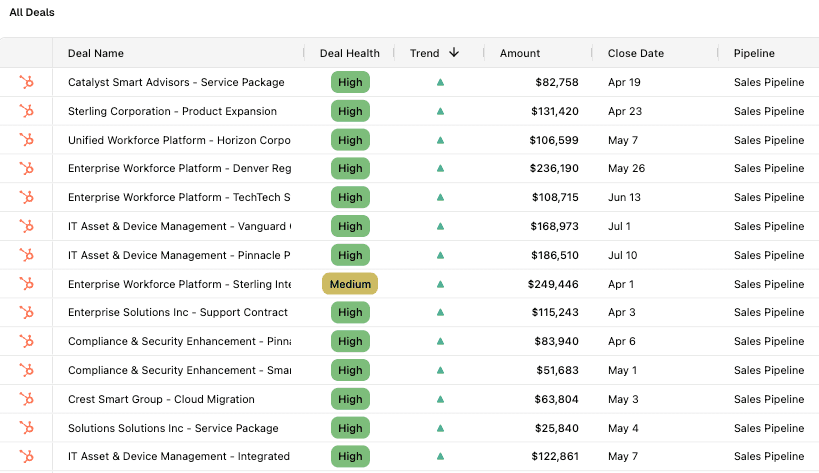
Deal health trends on open deals
Open deals now include a trend column that compares the current AI health score with the prior snapshot. Managers can see at a glance which deals are improving and which ones are slipping.
Used alongside deal health, the trend column adds direction, not just a point-in-time score.
Meeting transcripts in the deal timeline
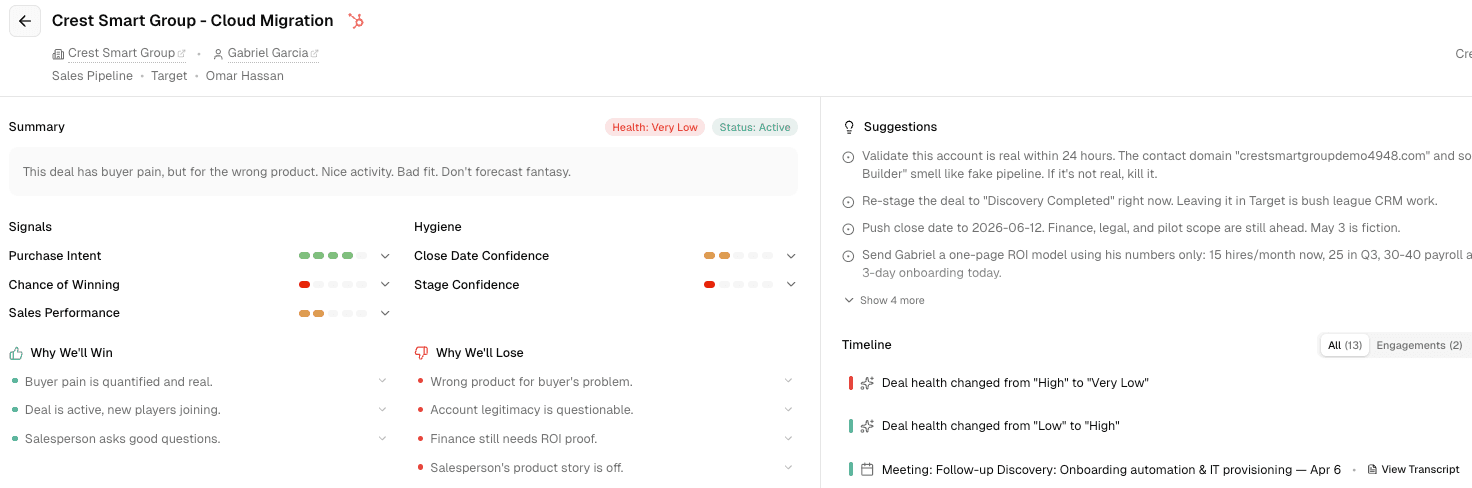
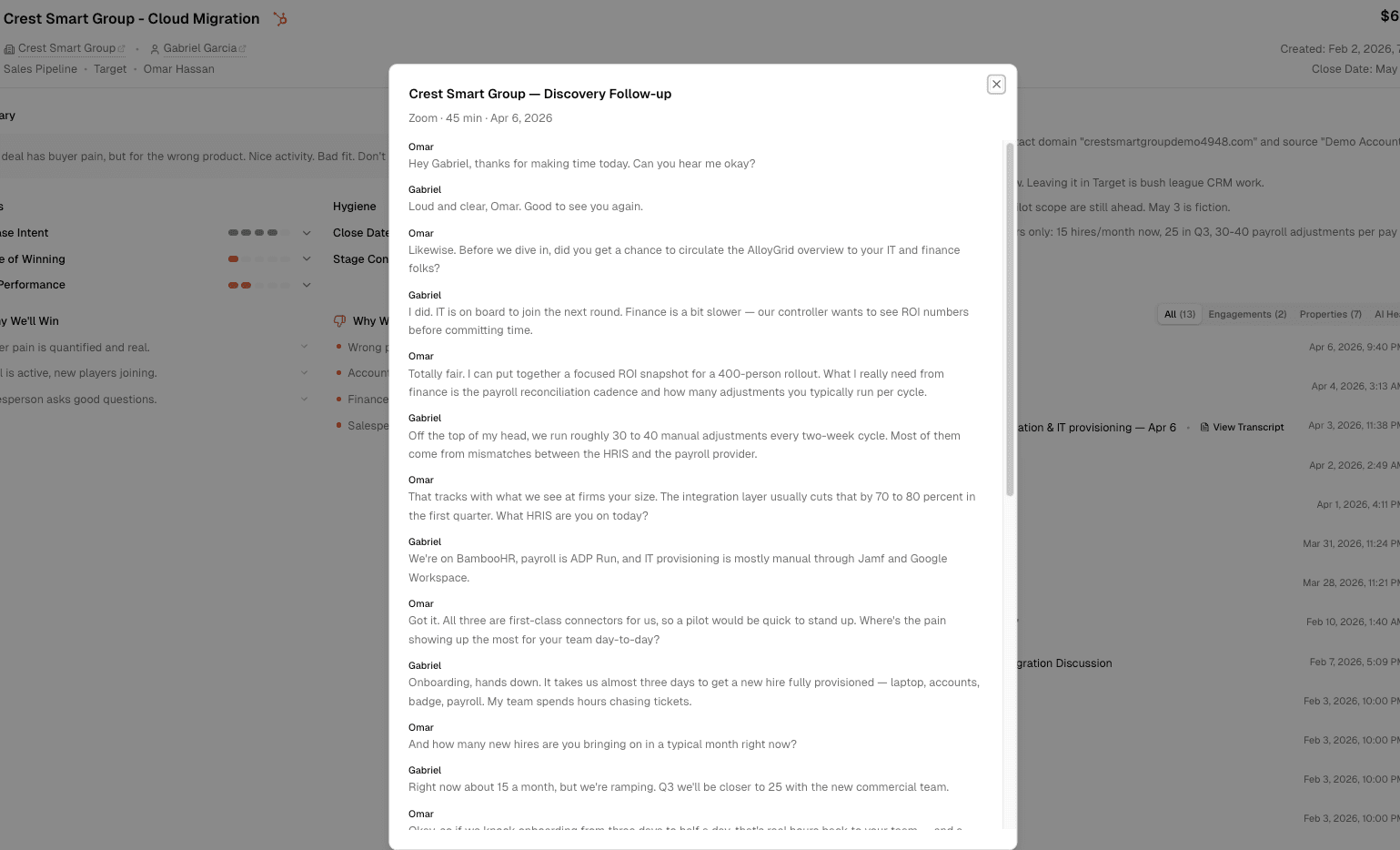
You can now click "View Transcript" next to a meeting in the deal timeline and open the transcript without leaving the record. That makes it easier to connect what happened in a call with what changed in the deal.
For teams working inside HubSpot, this keeps deal review context closer to the rest of the deal view.
Improved AI analysis across the app
We also upgraded the AI model used in Data Parrot. That improves deal health scoring, win/loss analysis, notification summaries, and research trends.
It is not a new page on its own, but it improves the parts of the product teams already rely on every day.
Getting started
Health trends appear in open deal views automatically. Meeting transcripts are available in the deal timeline where transcript data exists.