3 min read
Back to blog
Product Update: HubSpot UI Extension Card
Data Parrot card now available directly in HubSpot deal views, showing AI insights without switching platforms.
Working in HubSpot means constant context switching between your CRM and other tools. The new Data Parrot card brings AI-powered deal insights directly into HubSpot's deal view, so you can see health scores, AI-powered deal analysis, and recommended next steps without leaving your CRM.
What's New
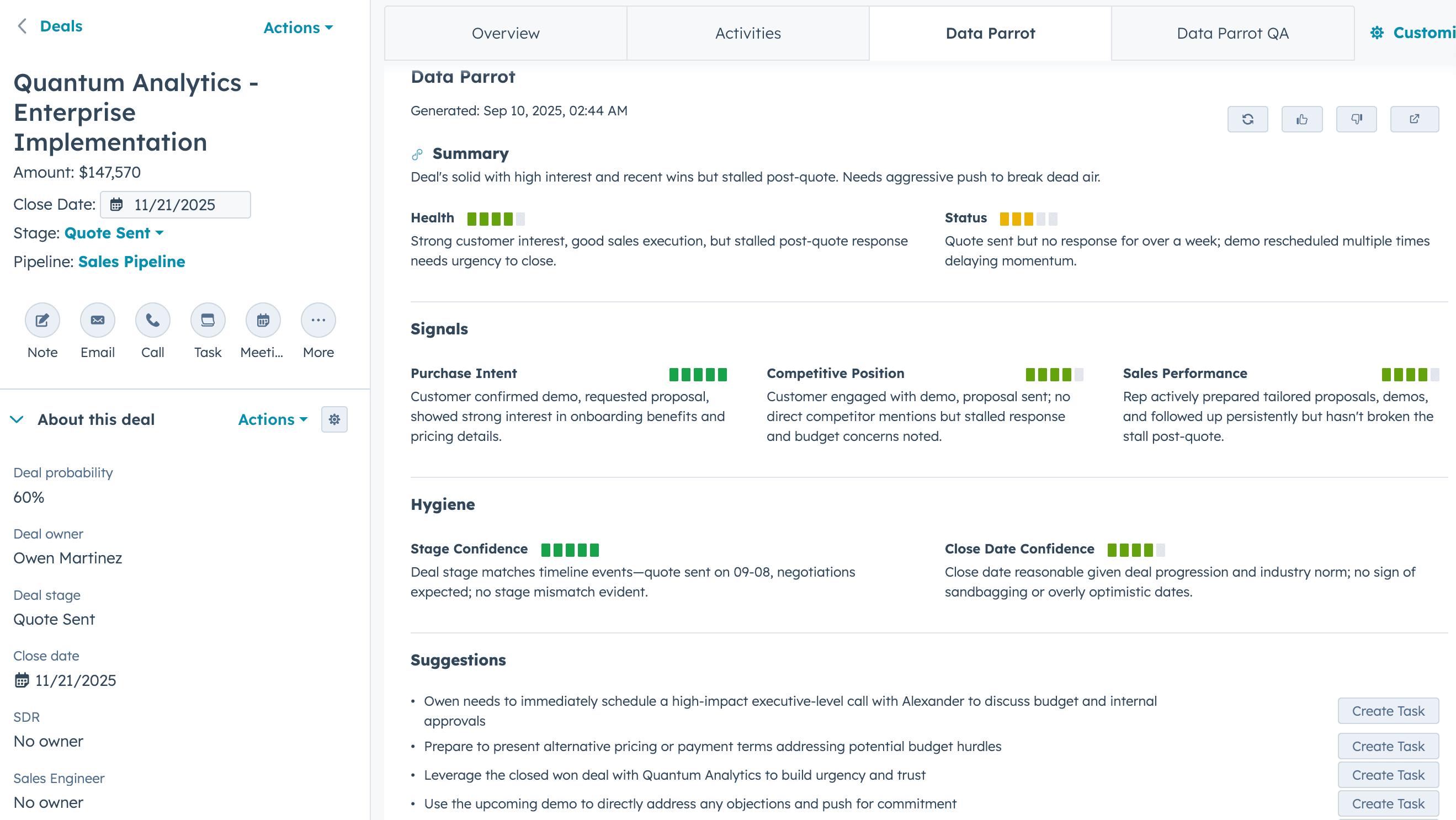
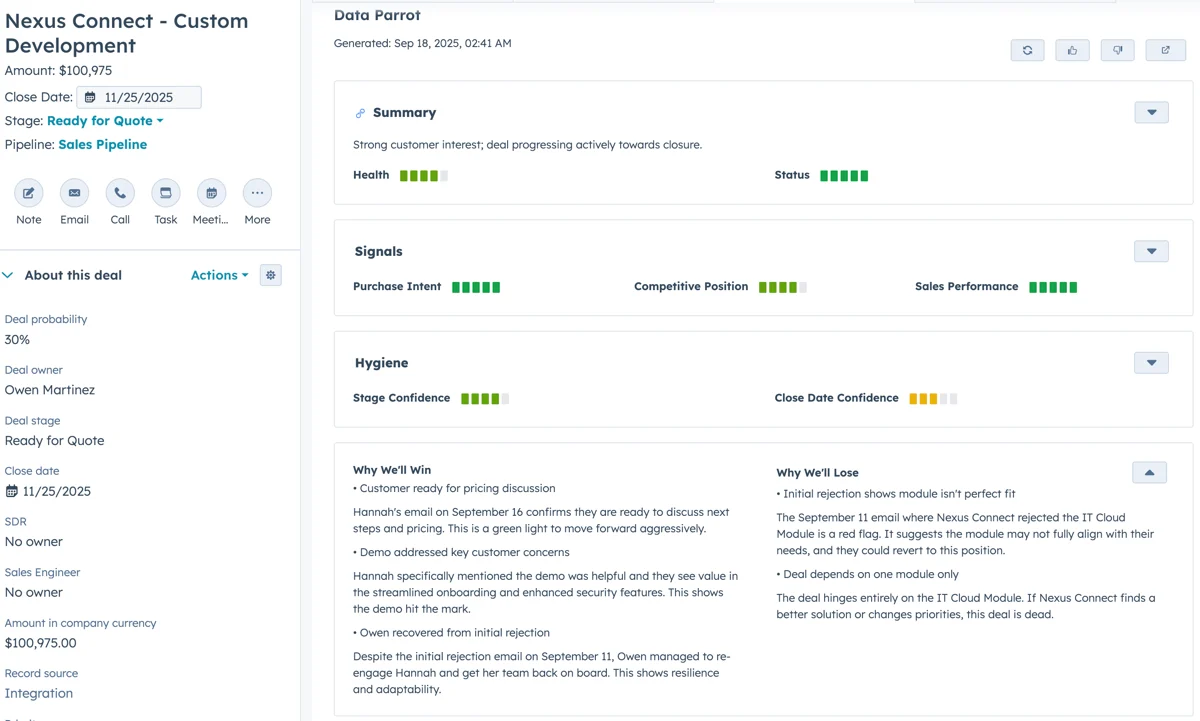
We've added a HubSpot UI Extension (in Beta) that embeds Data Parrot insights as a card in your deal records. The card displays deal health, status indicators, analysis, and AI-generated next steps right where your team already works.
Card Placement Options
You can add the Data Parrot card in two ways:
On the Overview Tab: Place it alongside other cards on the main deal overview. This keeps all deal information in one central location.
As a Dedicated Tab: Create a "Data Parrot" tab in your deal view for a focused view of AI insights. This gives the analytics their own space without cluttering the overview.
Available Insights
The card displays several types of deal intelligence:
- Deal Health Score: Visual indicator showing whether the deal is on track, at risk, or stalled
- Current Status: Clear labels for deal stage and progression
- Analysis: Specific behaviors and engagement patterns detected by AI
- Recommended Actions: Next steps you can convert directly into HubSpot tasks
- Win/Loss Analysis: For closed deals, see the AI-determined reasons for outcome
Task Creation
When the AI suggests a next step, you can create a HubSpot task directly from the card. These tasks automatically link to the current deal, maintaining proper context in your CRM. No manual copying or switching between systems.
Setup Process
Setting up the card takes three steps (contact us for access):
- Navigate to Settings → Integrations in Data Parrot
- Click "Install Data Parrot Card"
- Add the card to your HubSpot deal view layout
The integration uses HubSpot's UI Extensions framework, which means it runs natively within HubSpot rather than through iframes or external popups.
Learn more about installing the Data Parrot HubSpot UI Extension or explore our HubSpot integration overview.
Continue from this post into the rest of the story.
Product Update: HubSpot UI Extension Enhancements
The HubSpot UI Extension gets visual improvements, AI chat capabilities, and full-screen deal views...
Data Parrot for HubSpot: AI Deal Analysis Now Available Directly in Your CRM
Data Parrot AI deal analysis is now available directly on HubSpot deal pages. Get deal health, risk alerts...
Product Update: HubSpot Win/Loss Insights and Deal Chat
HubSpot UI extension now shows Why We'll Win/Lose insights and Win-Loss Plus has standardized categories.